Conjury >> Game Review

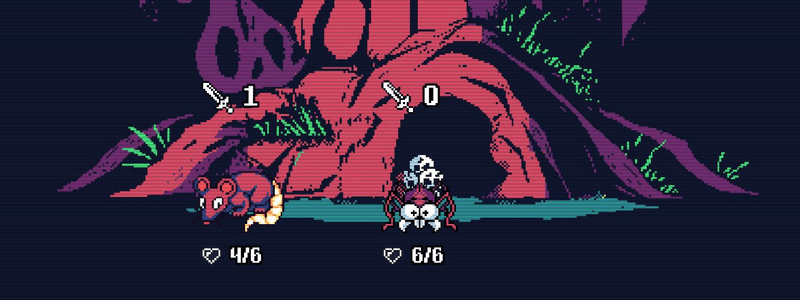
This was a surprising game, whilst at first look it seemed to be a rather uninspiring ‘just another deck builder’ type game this proved to, in fact, be very wrong. Conjury (also on Android on Google Play Store as well as Free on itch.io) has a lot of depth, a lot of gameplay and is excellent value for money (even more so if you play the free itch.io version). If you like games like Slay the Spire or Roguebook or other roguelike deck builder/card games and you haven’t tried Conjury then, in my opinion, it is definitely worth the time.

Bella Wants Blood >> Game Demo Review

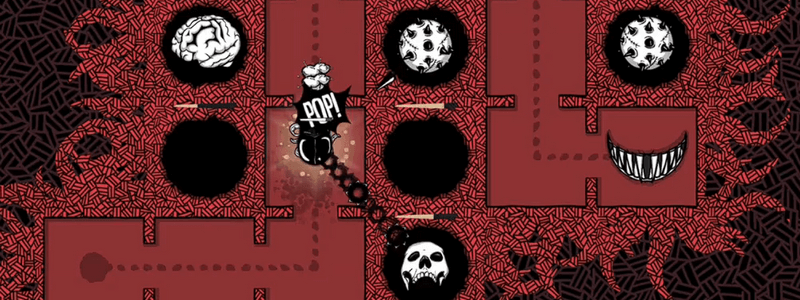
As the title suggests, this game has borrowed ideas from Slay the Spire (something to put on the to-play list if you haven’t - also on Xbox Game Pass) in certain areas though the gameplay itself has nothing to do with cards. Instead, you build a road (called a ‘gutter’ in the game) along which enemies will travel, and place traps along the way. The goal being that all enemies (called monstrosities in game) must die, giving Bella blood, before reaching her mouth, otherwise the meter on the right side fills up and then it is game over.

HardAF >> Game Demo Review

Have an hour or two to spare and like dying a lot? The HardAF Demo might be worth trying if you like precision 2D platformers where even a few pixels in the wrong direction means that you will die. The game has a rather unique concept, the level is illuminated by your blood, the more you die, the more red gets splattered all over the place and the more of the level that you can see. If you are stuck there is even the option to explode yourself to illuminate your surroundings by depositing blood over the numerous circular saws and spikes that make up a large portion of every level.

Tiled Dungeon Map with Player > 2D

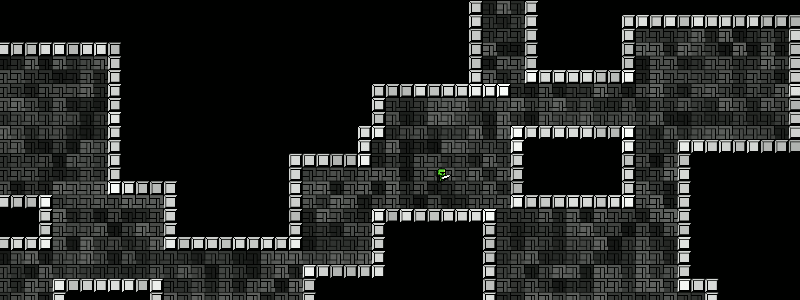
Demonstrates how to create a simple dungeon map of room rectangles for use in top-down games. This expands on the Simple Dungeon Map Example which should be used as a starting point. Creates random dungeons and tiles the floors and walls and adds a player that moves and is animated. W A S D keys move player, SPACE to make a new map, UP ARROW to change the camera zoom, RIGHT ARROW to turn colors on/off and DOWN ARROW to turn on/off debug mode. Every map will be different from the next map and you can change the number of rooms and map size easily to allow for creation of larger or smaller maps. View on Github

Simple Dungeon Map > 2D

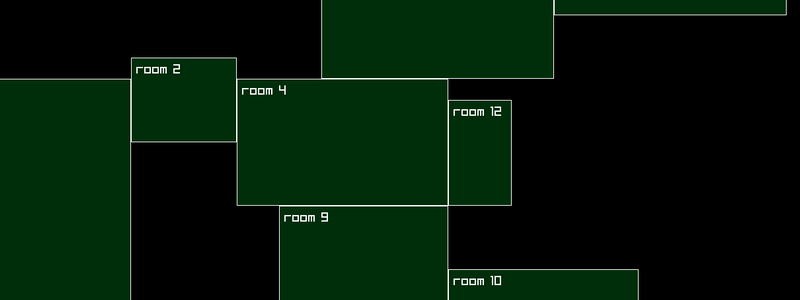
Demonstrates how to create a simple dungeon map of room rectangles for use in top-down games. Press SPACE to create a new map, every map will be different from the next map and you can change the number of rooms and map size easily to allow for creation of larger or smaller maps. This is used as the base for a more advanced tutorial with image tiling and players. View on Github

Mr Snuggles Dungeon Adventure

Approximately 4 months of solo development and about 350-400 hours of coding 39,000 lines my first decent game Mr Snuggles Dungeon Adventure is on Steam and there is a demo that you can play for free as well . So, if you are bored at least try the demo, it works on Steam on Windows as well as on Steam for Linux via Proton and is also on itch.io if you prefer, where there is a native Linux demo and a native Linux version of the game as well (though actually second game, the first game being more of a test run to see if I could do it and is not really very good).

Menus & Windows > 2D

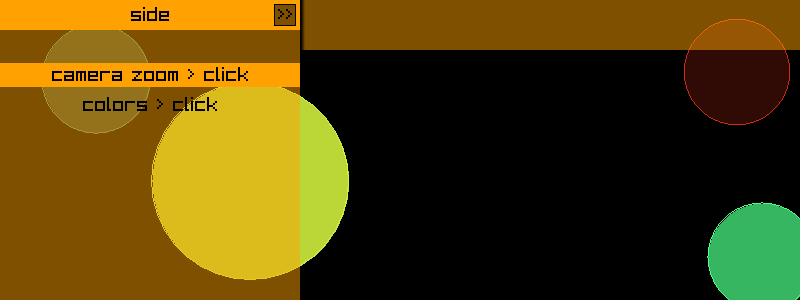
Demonstrates simple top/bottom, right/left sidebar, center and pop-up menu/windows. The colors can be changed and the menu positions can be changed by clicking in the relevant boxes of the sidebar window and the top/bottom menu/window. The center window can be moved by left mouse clicking and holding and the camera zoom and colors can be changed in the sidebar item list. View on Github

Before you start
I am a self taught Go programmer and do it as a hobby, the code below is my own interpretation of how to do something, probably not the only way or the best way. This is intended as a resource to learn some basic Raylib and Go game dev skills. If you want to use any of the code anywhere else, feel free to do so.


Animated Logo > 2D

Demonstrates drawing of a simple horizontal scrolling Go logo as well as an animated Raylib logo using images textures stored in a slice. SPACE key to restart the animation. View on Github

Before you start
I am a self taught Go programmer and do it as a hobby, the code below is my own interpretation of how to do something, probably not the only way or the best way. This is intended as a resource to learn some basic Raylib and Go game dev skills. If you want to use any of the code anywhere else, feel free to do so.


Chain Lightning > 2D

Demonstrates a simple method to create an effect of chain lightning, when one rectangle (enemy) is impacted by a bullet rectangle then a chain of lines is drawn between the centers of all enemies on screen. WASD keys move player, left mouse button to shoot and up arrow key to change zoom. The Player Bullets example can be used a starting point for this example. View on Github

Player Bullets > 2D

Demonstrates how to create player bullets that will travel to a point determined by a mouse click on screen. This method works with a camera, using the screen to world position of the mouse click therefore the zoom can be changed. The player can move and the bullets will be destroyed when hitting the border rectangle. This can be used for both player bullets as well as enemy bullets, for enemy bullets the mouse click center point is substituted with the player center. WASD keys move player, left mouse button to shoot and up arrow key to change zoom. View on Github